

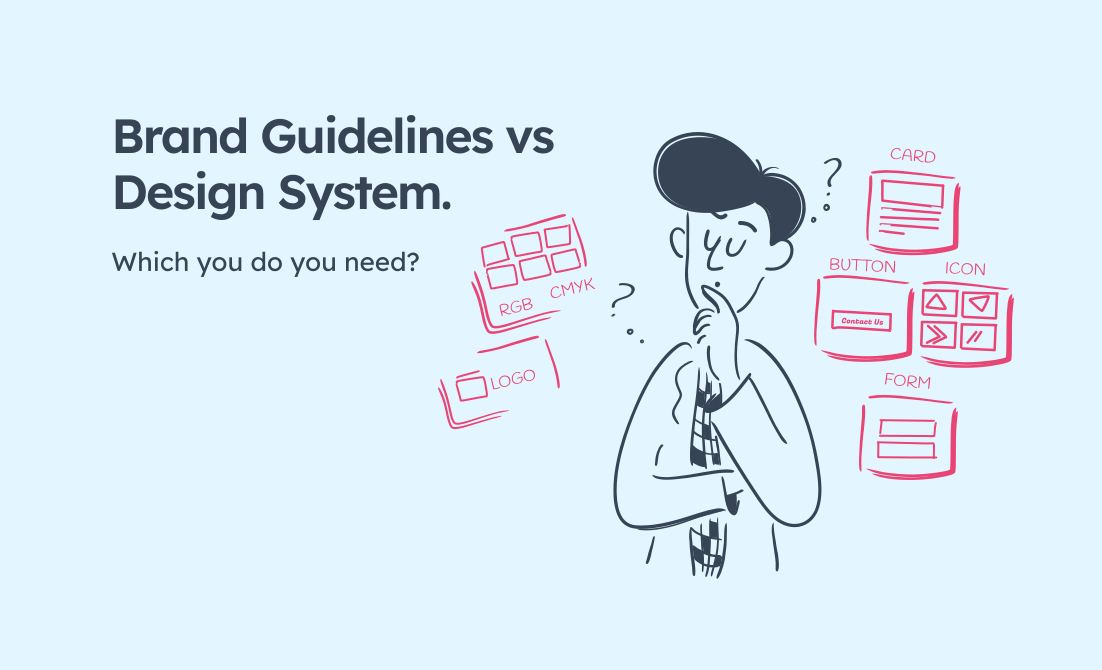
A clear way to decide whether your brand guidelines need digital brand adaptation, a component library, or a full design system.
What are design systems, when should you build one and to what extent?
Every design project starts with a system, whether you call it that or not. In Figma (web design software), it begins with the basics (colours, type styles, buttons, spacing, and a few reusable components) and helps to keep things consistent.
Over time, those foundations can evolve into something much bigger: a shared language that links design and development, keeps teams aligned, and makes future changes faster and more reliable.
When we hand projects over to clients, these foundations can act as a digital style guide. Basically, a visual reference outlining how designers and developers should apply colour, typography, and UI patterns consistently.
For larger or evolving products, those same foundations can grow into a fully functioning design system. A full design system documents what things look like, how and why they work in digital contexts. How your brand is presented on the internet.
A good design system can scale with your organization, adapt as your product evolves, and reduce the friction that comes from designing the same things in different ways.
This article might help you if:
- You manage multiple digital products and notice brand inconsistencies.
- Developers ask “which blue?” or build UI elements differently each time.
- Your brand guide works in print but struggles online.
- You need evidence to justify investment in a design system to stakeholders.
Whether you’re translating print collateral to digital, scaling a product team, or just tired of reinventing the same patterns, some form of design system can help. But not every organization needs a full-blown system, and building one for the sake of it can be a waste of time and money.
This article outlines what design systems actually are, the extent to which you might need one and how to choose what’s right for your organization.
What’s the difference between a brand guide and a design system?
If you already have brand guidelines (that beautiful PDF with your colour palette, typography, logo usage, and tone of voice), you might wonder why you need something else. Your brand guidelines sit at one end of the scale, a design system sits at the other, and there are a number of options between the two.
Brand guidelines
Brand guides tell you what your brand looks like. Design systems show what it does.
Brand guidelines are mostly static: Pantone colours, font families, logo clearspace, photography style. They’re designed for printed assets, presentations, and consistent visual identity across various touchpoints.
Design systems
Design systems show how those brand rules apply to interactive, responsive digital products. They incorporate a brands visual identity, but also define what happens when someone hovers over a button, how forms behave on mobile, what error states look like, and how your colour palette translates to accessible contrast ratios on screens. They standardise components so development time is well spent and the experience stays consistent across digital channels.
Think of it this way:
- Brand guidelines say “use Helvetica Bold at 16pt in Brand Blue”
- Design systems say “buttons use the H6 type token, have 16px vertical padding, use the primary-600 colour token (which meets WCAG AA contrast), include a 2px focus ring, and stack full-width on mobile”
In a design system, your brand colours become colour tokens, your typography becomes a type scale with hierarchy and your visual style becomes reusable, coded UI components that work across devices and contexts.
If your digital products feel inconsistent despite having brand guidelines, it’s because static rules don’t translate directly to dynamic interfaces. That’s the gap a design system fills.
For a deeper look at why print brand guidelines struggle in digital contexts, read: Why your brand guide doesn’t work for digital products.
At its simplest, a design system is a shared source of truth for how your product looks and behaves in conjunction with your brand.
It combines reusable components, design tokens (colour, type, spacing, motion), and documentation that explains when and how to use them.
Think of it as part brand guide, part pattern library, part instruction manual.
Brad Frost’s Atomic Design model explains this neatly: atoms (buttons, inputs) combine into molecules (forms), organisms (sections), templates, and pages. The idea is that small, consistent pieces can build complex, consistent interfaces in a manageable, scaleable way.

For a comprehensive, but plain-English definition, see NN/g’s Design Systems 101.
Not everyone needs a full design system. There’s a spectrum between a print-derived brand guide and a fully functioning design system, and choosing the wrong one can waste time and money.
The spectrum: from brand guide to design system
Most organisations don’t need to jump straight to a full design system. There’s a natural progression based on your needs, team size, and the complexity of your digital footprint. I’ve broken this down into four stages to help you work out where you are and where you should be.
1. Print-first brand guidelines
What are brand guidelines and what do they include?
A document (usually PDF) that specifies your visual identity for print and offline materials. Colours (Pantone/CMYK), typography, logo usage, photography style, tone of voice.
Traditional brand guidelines define your visual identity for print and offline materials. They might include a website home page concept or a social media mockup, but not much more direction as to how the brand should be applied in digital contexts.
Print-first brand guidelines are generally enough if you’re a small business with a simple online presence, primarily working in print, or happy for your designer to interpret how things translate digitally.
When you need more than brand guidelines
You’ll start to feel the gaps when you launch a website or web app, when more people get involved in design and development, or when digital consistency becomes harder to maintain. Print-first guidelines often stop short of what digital teams need. They rarely include web colour values such as hex or RGB, guidance for interactive states, or details about responsive layouts and accessibility. Even technical specs such as spacing units, breakpoints, and component rules are usually missing, which is why digital products drift off brand.
Most small businesses start here. It’s not wrong — it’s just incomplete for digital contexts.
2. Digital-extended brand guidelines (Digital brand adaptation)
What is digital brand adaptation?
A digital-first designer takes your existing brand guidelines and adds a digital layer, bridging the gap between static identity and interactive products without the overhead of a full system. You end up with direction for both print and digital assets. Your assets maintain brand consistency across every touchpoint.
What it adds to traditional (print-only) brand guidelines
A digital brand adaptation might introduce web-friendly colour formats, contrast-safe combinations, responsive type scales, interactive states, touch-target sizing, spacing systems, and web-optimised assets. It will include basic component specs such as buttons, forms, and navigation.
When do you need to adapt your brand for digital?
You don’t need to reinvent your brand, but you do need to adapt it if your current guidelines were created with print in mind. You probably have one main website or digital product, a small to medium team juggling design and development, or you’re working with agencies that interpret your brand differently. It’s also a smart move if you want more consistency but can’t justify the upkeep of a full design system.
For most small to medium organisations, digital brand adaptation is the sweet spot: consistent, affordable, and practical without adding unnecessary process. It can also be pragmatic mid-project solution when you discover your brand guidelines aren’t sufficient for what you’re building.
Need help with Digital Brand Adaptation?
Book a free, 15 minute consultation.
When you need more
You’ve outgrown basic brand guidelines with digital adaptation when you’re managing multiple digital products, running design and development as separate teams, or shipping new features regularly. Once inconsistency sets in and affect the speed of delivery, it’s time to consider a more structured approach, like a component library.
3. Component library
What is a component library?
A component library houses reusable User Interface (UI) elements such as buttons, forms, cards, and navigation, documented in Figma and sometimes coded in React, Vue, or HTML/CSS. Each component includes design tokens for colour, spacing, and typography, plus usage notes to keep teams aligned.
Why a component library helps
It gives you consistent, reusable components without the full governance structure of a design system. It’s ideal for organisations with two or three digital products, design and dev teams that collaborate closely, and a product that’s still evolving.
Examples of Component Libraries:
- Tailwind UI: Pre-built components using Tailwind CSS
- Material Design: Google’s design language, implemented as component libraries across platforms.
When you need more
A component library starts to struggle when multiple teams modify components independently and excess variations creep in. If documentation becomes scattered, contribution rules unclear, or updates depend on whoever has time, you’ll need stricter governance and ownership.
Without governance and a dedicated owner, component libraries can fragment, creating “almost the same” components that reintroduce inconsistency. When this starts to happen, or you have teams working in silos, it’s time to graduate to a complete design system.
4. Complete design system (living, breathing product)
What is a complete design system?
A complete design system is a product in its own right, with dedicated ownership, governance, documentation, contribution processes, and ongoing maintenance. It’s not just components; it’s the people, tools, and workflows that keep everything aligned.
What does a design system include?
A complete system goes beyond a component library. It includes a system owner or team, a formal contribution model, a central documentation site, version control and release process, accessibility testing, adoption metrics, communication channels, audits, and documented design principles.
When is it time to consider a design system?
A design system makes sense if you manage several distinct digital products, run separate product teams, or deal with significant inconsistency and accessibility issues. You’ll also need the resources to maintain it long term and a commitment to ongoing governance.
When is a design system overkill?
Simpler setups are better if you have one product, a small team, or infrequent releases. It’s also too soon if you’re still finding product–market fit or don’t yet have someone who can own it. In those cases, extend your brand for digital, keep your components in Figma and revisit the idea later.
Examples worth a look:
- Uber Base: Comprehensive system for Uber’s global products
- Shopify Polaris: Well-documented with clear principles and guidance
- GOV.UK Design System: Excellent accessibility-first approach
- Atlassian Design System: Good example of system governance
- BBC GEL: Foundations, design patterns and how-tos.
- Apple Human Interface Guidelines: Long-standing reference for clarity, accessibility, and platform consistency across Apple’s ecosystem
A complete design system is a significant investment. It needs dedicated ownership (even part-time), continuous maintenance, and organisational buy-in. It’s not a project with an end date; it’s a product that evolves with your organisation and needs ongoing attention.
How to choose what your organization needs
So how do you work out which you need? To quote one of the most annoying answers in the world: “it depends”. Here are some thing you can consider in order to work out what might be best for your organisation.
Start by asking:
| How many products you manage | What to choose |
|---|---|
| 1 digital product | Digital-extended guidelines and/or component library |
| 2-3 digital products | Digital-extended guidelines and component library |
| 4 or more digital products | Consider full design system |
| How often new features are launched | What to choose |
|---|---|
| Rarely | Digital-extended guidelines |
| At least once a month | Digital-extended guidelines and component library |
| At least once a week | Full design system |
| Who’s on your delivery team | What to choose |
|---|---|
| Small internal team | Digital-extended guidelines and/or component library |
| Multiple teams or agencies | Component library or full design system |
| Large organization with separate product teams | Full design system |
| Biggest pain-point | What to choose |
|---|---|
| “Agencies and internal stakeholders interpret our brand differently” | Digital-extended guidelines |
| “We’re rebuilding the same components” | Digital-extended guidelines and component library |
| “Multiple teams are creating inconsistent experiences” | Full design system |
| “We have brand guidelines but they don’t work online” | Digital-extended guidelines |
| Resources available for ongoing maintenance and support | What to choose |
|---|---|
| No dedicated resources | Digital-extended guidelines |
| Part-time ownership possible | Digital-extended guidelines and component library |
| Can dedicate a person or team | Full design system |
| Current situation and timeline | What to choose |
|---|---|
| Need something now | Start with digital-extended guidelines |
| Building something new | Component library as you go |
| Long-term investment | Full design system |
Signs you need to level up
- If you’re refreshing your website, guessing at digital specs, fielding constant agency questions or can’t agree what looks right, move from print guidelines to digital-extended.
- If you’re building a second product or re-coding the same patterns repeatedly, move to a component library.
- If components are diverging, documentation is outdated, or you’re supporting four or more products, it’s time for a full design system.
| Your situation | Start here | Why |
|---|---|---|
| One site, small team, few changes | Digital-extended guidelines | Covers accessibility, responsive, states without heavy overhead |
| Two or three products, regular releases | Digital-extended guidelines + component library | Reuse, speed, design-code parity |
| Four or more products, multiple squads | Full design system | Governance, versioning, adoption at scale |
Migration paths: where to start
Starting from scratch
Begin with digital-extended brand guidelines. You’ll print and digital designers to work together. Get your foundations solid before building a library of components. It’s easier to extend guidelines than to retrofit brand consistency into an existing component library.
You have print guidelines
Extend them for digital (web colours, interactive states, responsive specifications) before investing in a component library. Read our guide: Why your brand guidelines don’t work for digital products.
You’re building a new product
Build a component library as you go. Document components as you go and promote only stable, reusable ones to the system.
You have a component library that’s fragmenting
Add governance, assign ownership, and version control instead of rebuilding.
You’re at enterprise scale
Audit first, then build a system around real problems and priorities.
Getting started without the overwhelm
I know, it’s a lot to get your head around. Just start with what you have. Even a single, well-documented button is better than a theoretical system that never ships.
Build from real use, not predictions. Document as you go. Start small and extend gradually, testing whether documentation actually helps your team work faster.
Common misconceptions
“It’s just a Figma file” A design system includes people, process, and code.
“We need one before we start designing” It should grow alongside real work.
“It saves time instantly” The payoff comes with adoption.
“Only big companies need them” Small teams benefit too, if the product is ongoing.
“Once it’s built, we’re done” It needs maintenance, updates, and governance to stay useful.
The business case for digital brand systems
Whether you’re extending brand guidelines or building a full system, the benefits are clear:
faster delivery, fewer revisions, consistent experiences, better accessibility, easier scaling, lower long-term costs, and happier teams.
The return on investment isn’t immediate, but it’s real. Teams often report significant reductions in rework once adoption builds.
Key takeaways
A full design system isn’t always needed. You need the right level of design documentation for your organization.
Start where you are. Extend print guidelines for digital. Document as you build. Treat whatever you create as a product with ownership, maintenance, and updates. And don’t overcomplicate it. A simple, usable system beats a comprehensive one that no one touches.
Your brand deserves to work consistently across every touchpoint. The question isn’t whether you need a design system; it’s which level is right for you, right now.
Further reading and resources
Foundation knowledge
- Atomic Design by Brad Frost
- Design Systems 101 by Nielsen Norman Group
Practical guides
Examples and inspiration
- Design Systems Repo – searchable collection of real systems
- Component Gallery – see how other teams solve similar problems
- Design Systems Surf – curated collection of public systems
- Storybook Showcase – coded component libraries
Related reading
- Why your brand guidelines don’t work for digital products – understand the gap between print and digital